
Podcast AI Transcription & Summary: BibiGPT + Feynman Technique Turns Listening into Knowledge Output
Feynman Technique meets podcast AI transcription — BibiGPT's AI highlight notes extract themed key quotes and arguments, AI chat traces audio blind spots with source timestamps, and the Xiaoyuzhou podcast generator converts any video into commute-friendly audio.
Podcast AI Transcription & Summary: BibiGPT + Feynman Technique Turns Listening into Knowledge Output
Quick answer: How to apply the Feynman Technique to podcast learning? Core workflow: ①BibiGPT transcribes the full podcast + generates smart summary, ②AI highlight notes categorize key quotes and arguments by theme, ③ask follow-up questions directly on the transcript to fill audio blind spots, ④flashcard self-testing to verify knowledge retention.
The four-step Feynman framework (Identify → Teach → Find Gaps → Simplify) is fully covered in the YouTube Feynman overview article. This article focuses on the unique challenges of audio learning.
The Real Problem with Podcast Learning: High Information Density, Near-Zero Conversion
Cognitive science research confirms: memory consolidation requires active retrieval, not passive input. Psychologists Roediger and Butler found that active recall produces approximately 50% better long-term retention than re-listening.
Podcast learning has three unique obstacles other formats don't:
- Can't scan: Unlike video or text, audio can't be skimmed
- Can't copy: A valuable argument heard at minute 23 is nearly impossible to retrieve exactly later
- Fragmented context: You're commuting or cooking — you can't take notes during active listening
BibiGPT solves all three.
Feynman Four Steps for Podcasts: BibiGPT's Approach
Step 1: Identify — Full Transcript + Smart Summary Makes Audio "Scannable"
Paste a Xiaoyuzhou, Apple Podcasts, Spotify, or RSS link. BibiGPT delivers:
- Full transcript: The entire episode as searchable text
- Smart deep summary: 3-5 core arguments with context
- Thinking Q&A: Feynman-style questions like "Can you explain this?"
 BibiGPT smart deep summary for podcasts
This makes audio "scannable" — you can search the full text like an article and actively choose which concept to deeply master.
Step 2: Teach — AI Highlight Notes Organize Output Material by Theme
BibiGPT's AI highlight notes automatically extract and categorize the most valuable podcast segments:
- Key quotes: The host's most insightful statements, with timestamps
- Supporting evidence: Data, case studies, and story fragments
- Definition excerpts: The host's plain-language explanations of technical terms
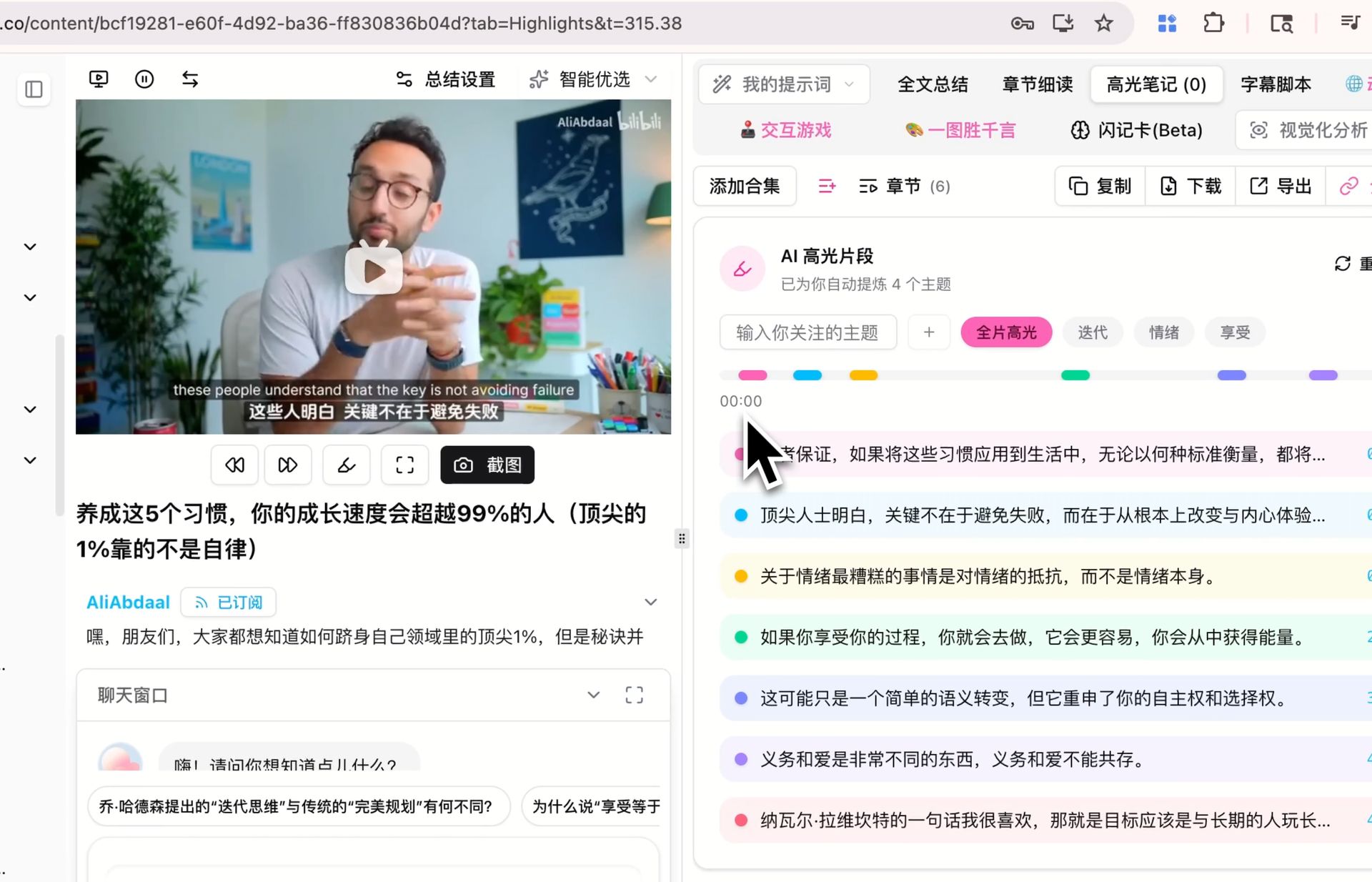 BibiGPT AI highlight notes categorized by theme
When you try to "teach the concept to someone else," these themed highlights become your source material — letting you check whether your explanation is complete or missing key evidence.
Step 3: Find Gaps — Chat to Fill the Reasoning Podcast Hosts Skip
Podcast hosts routinely skip derivations and jump to conclusions. Ask BibiGPT directly on the transcript:
- "The host said 'liquidity trap can't be solved by monetary policy' — what's the logic?"
- "He mentioned 'the alignment problem' — can you explain this more specifically?"
BibiGPT's AI responds with timestamp references so you can verify its explanation against the original audio.
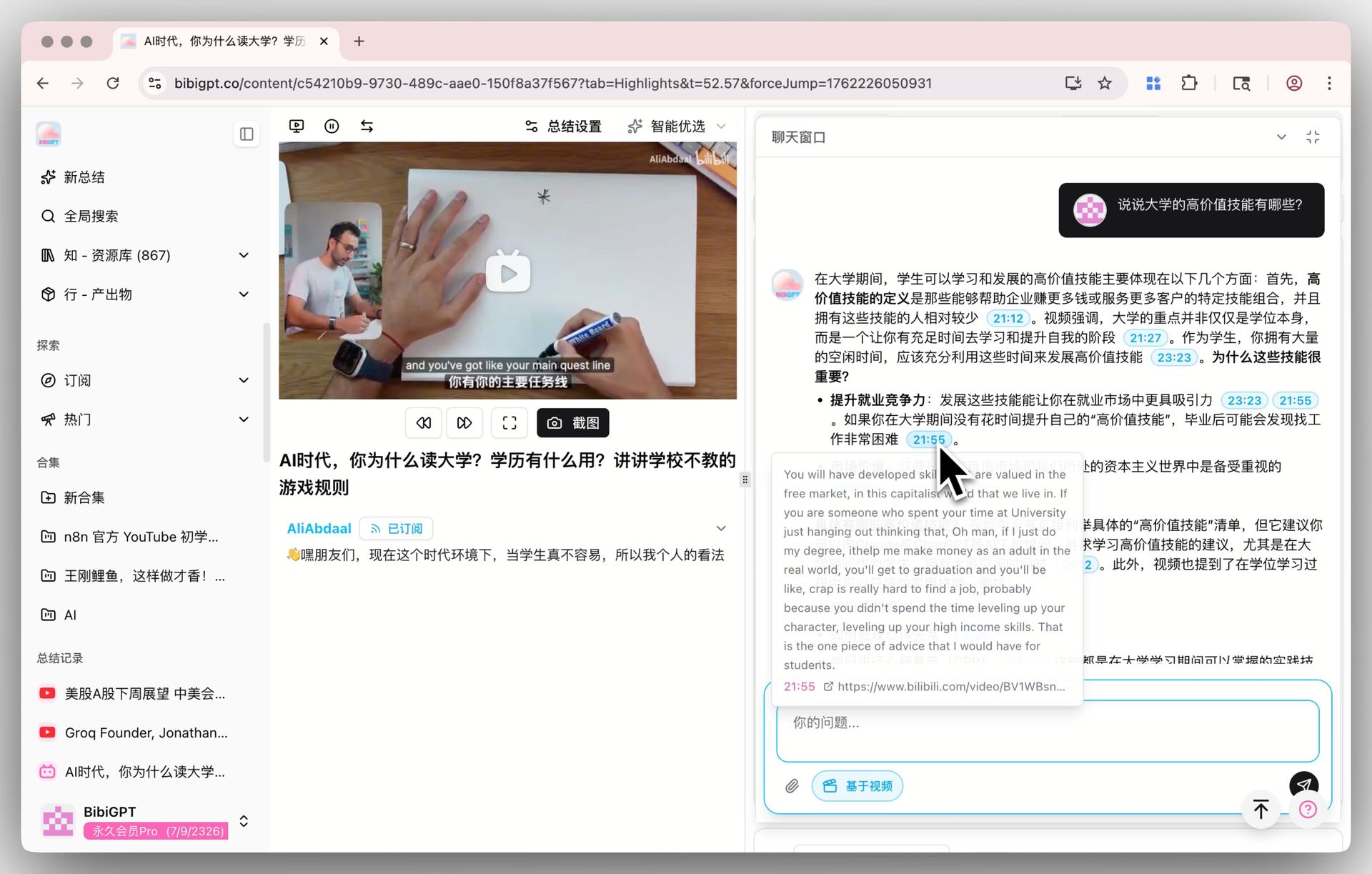 BibiGPT AI chat with source tracing
Step 4: Simplify — Flashcard Self-Test
Test your understanding with auto-generated flashcards from BibiGPT. Export to CSV and import into Anki for spaced repetition.
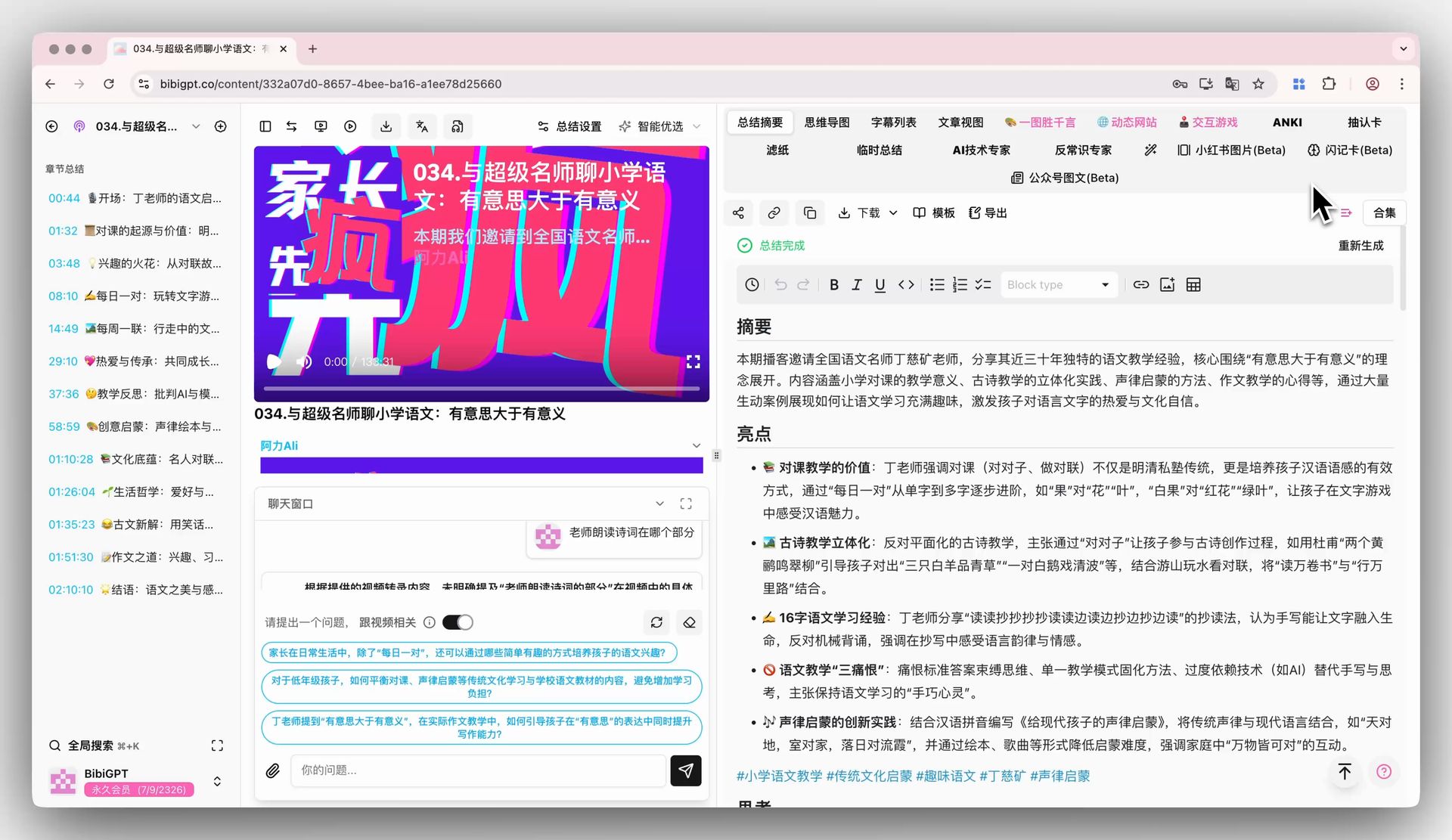 BibiGPT flashcard for podcast knowledge testing
Podcast-Exclusive: Generate a Xiaoyuzhou-Style Dual-Host Audio from Any Video
BibiGPT has a unique feature exclusive to podcast learners: Podcast Generation (Xiaoyuzhou style).
You can convert any video (YouTube, Bilibili, TED) into a dual-host conversation audio:
- Choose voice combinations
- AI rewrites video content into a dialogue script
- Generates MP3/OGG audio for download
- Includes synchronized subtitle list and transcript
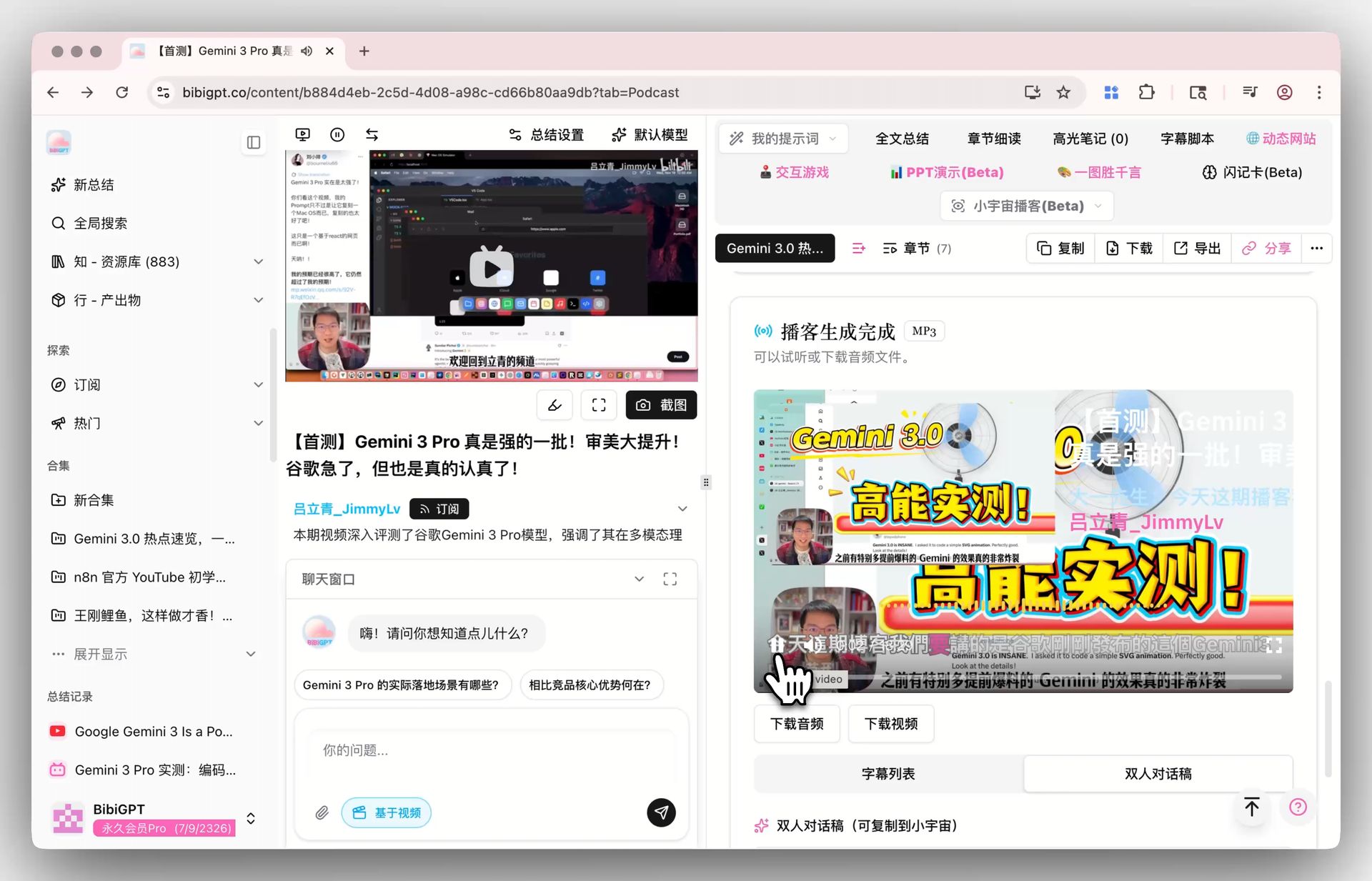 BibiGPT Xiaoyuzhou podcast generation
This means: if you find a great YouTube tutorial but want to review it during your commute in "audio mode," just convert it into a podcast — preserving content quality while fitting your listening context.
Case Study: 45-Minute Commute Feynman Learning Workflow
Using Lex Fridman Podcast #400 (Sam Altman interview, ~3 hours) as an example:
Morning commute (listen): Enjoy the episode, mentally flag interesting or confusing moments
Lunch break (10 min, process): Paste RSS link → Get full transcript + summary → Identify 8 core topics → Choose Feynman target: "the alignment problem"
Evening commute (follow up): Open AI highlight notes → Find "alignment problem" segments → Ask: "What does Sam Altman say is the core challenge of alignment?"
Before sleep (5 min, consolidate): Answer 3 flashcards on alignment definition, challenges, and Altman's specific concerns
7 days later: Anki review reminder — still able to clearly explain Sam Altman's alignment views
The entire workflow requires no extra time beyond your existing commute.
Supported Podcast Platforms
- Xiaoyuzhou: Main Chinese podcast platform
- Apple Podcasts: International and domestic podcasts
- Spotify Podcasts: World's largest podcast platform
- RSS links: Any RSS-compatible podcast feed
- Local audio files: MP3, M4A and common formats
Feynman × BibiGPT Series
- Full Feynman framework? Start with the YouTube overview article
- Bilibili technical series? Anki export + series cross-video Q&A workflow
- TED Talks? Video-to-article + speech structure extraction
- Xiaohongshu? Batch multi-link summary to build a knowledge system
- Douyin? Search-driven learning to replace algorithm recommendations
Start your AI efficient learning journey now:
- 🌐 Official Website: https://aitodo.co
- 📱 Mobile Download: https://aitodo.co/app
- 💻 Desktop Download: https://aitodo.co/download/desktop
- ✨ Learn More Features: https://aitodo.co/features
BibiGPT Team